
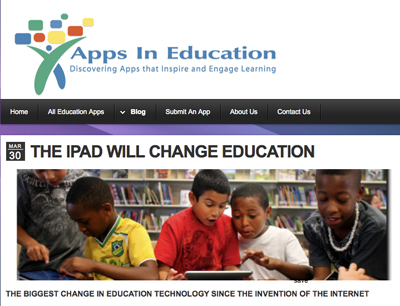
An entire web site devoted to finding apps for educational use on the iPad!
Category: Resources
PLNs and Google Home Page
You can organize the way that you view your online resources with platforms such as iGoogle and Netvibes
I use iGoogle for tracking my student’s blogs as you get a look at everyone’s blog at once and determine who has completed their work. I have a snapshot of the page here.
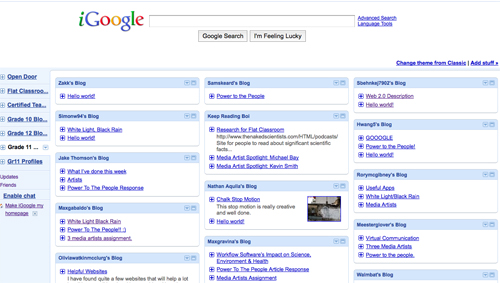
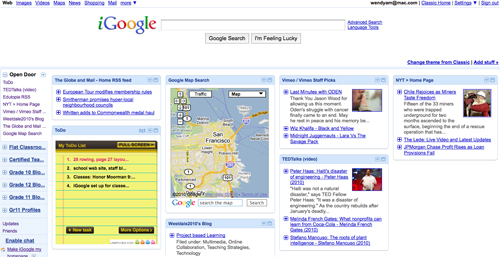
iGoogle is my home page and I use it to organize all of my favourite web sites plus there are gadgets that you can add to customize this page. Take a look here:
DI

Edugains.ca is a rich resource for all teachers regarding AER, DI,
ELL, Literacy & Math.
It has reference manuals, strategies, and example lesson plans and guides.
The DI section is particularly robust, with a 2010 educator’s package that includes a guide, scrapbook and reference cards.
There are videos showing DI instructional practices in action for the following subjects at this link:
Career Studies
Family Studies – Food and Nutrition
Geography
History
Mathematics (5)
Religious Education
Science (2)
Technological Education
Understanding Canadian Law
Visual Arts (2)
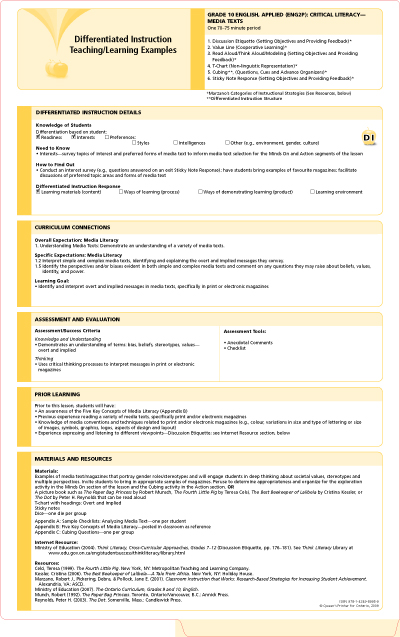
There is also a series of unit plans posted for download from several subjects at this link that lay out the unit is a DI format with areas for DI Details, Curriculum connections, A&E, Prior learning, Materials & Resources, Lesson Activities
Google Tools
Google has many tools that are amazing for the classroom. There is a list here of all the tools:
LIST
If you want to see a powerpoint slide show about some of these tools, look HERE
I use Google docs for my English class and I have set up a collection in Google docs where all my students have access to every document in this collection. This precludes having to set them up in the sharing function of each document.
 Digitizeme